
Using a USA events calendar for tech readers: practical guide
Learn how a USA events calendar helps tech pros track conferences, meetups, and industry shifts. Practical use, pitfalls, and integration tips for developers an

A USA events calendar can be a practical tool for tech readers who track conferences, meetups, and product launches across the United States. This explainer shows what a calendar offers, why it matters for developers and innovators, and how to use it without getting overwhelmed. You’ll find concrete steps to pick, organize, and integrate events into your workflow.
A calendar helps you anticipate key dates, compare venues, and align your team’s attendance with project milestones. For engineers and product teams, it’s not about listing every meetup but about prioritizing those that advance skills, partnerships, and roadmap decisions. The goal is a streamlined process that saves time and boosts strategic value.
When you read on, you’ll learn how to evaluate calendars, what to watch for in terms of reliability, and how to tailor the tool to your tech focus. The guidance avoids hype and sticks to usable steps, examples, and warnings to prevent common missteps. By the end, you’ll know how to select, track, and act on events that matter to technology work.
- A tech-focused USA events calendar helps you plan, attend, and derive value from key conferences and meetups. Use filters to stay relevant and prioritize high-impact events. Integrate with project tools to turn attendance into concrete outcomes.
- Carefully choose reliable calendars, verify event details, and test a sample month before committing. Use cross-checks and reminders to keep plans accurate and actionable. Plan attendance around milestones and team goals to maximize return.
- When integrating, link events to project milestones, assign attendees, and record takeaways for post-event sharing. Avoid overbooking by enforcing clear criteria and verifying logistics months in advance.
- Be cautious of over-commitment, outdated details, and single-source dependence. Favor calendars with update workflows and easy validation to minimize false starts.
Basics of a tech-focused events calendar
What it lists and why
A tech-focused calendar aggregates dates for conferences, hackathons, talks, and workshops relevant to software, AI, and cybersecurity. It helps you spot opportunities for learning, hiring, or speaking engagements. Start by filtering for your specialty and preferred regions to avoid noise. USA events calendar should be evaluated for how well it integrates with your work tools.
- Overloading the schedule with irrelevant events; instead, prioritize by tech relevance and impact
- Ignoring timezone and travel constraints; instead, plan with local options or virtual participation
- Relying on a single calendar source; instead, cross-check multiple calendars for accuracy
A practical example is a quarterly rollup of major conferences in AI safety and cloud security, plus local meetups near your office. This keeps you from chasing every event while still catching the most impactful ones.
Be mindful of overlapping events that strain travel budgets or tool time; use the calendar to compare sessions side by side and plan attendance strategically.
- Filter by topic and location to reduce clutter
- Mark key dates on a single personal calendar
- Create a fallback plan for last-minute changes
- Coordinate with teammates to share attendance goals
Choosing a reliable source
Reliability comes from clear event details, organizers with verified history, and consistent updates. Look for calendars that provide endpoints or exportable formats to integrate with your team tools.
Compare calendars by date accuracy, attendee feedback, and the speed of updates when schedules shift. Prioritize sources that offer reminders and agenda previews.
Use a quick test: confirm a few events a month ahead and verify times, locations, and registration requirements.
- Check update frequency and event history
- Prefer sources with downloadable schedules
- Test a sample week for accuracy
- Look for clear registration and agenda details
How to integrate into tech work
Workflow integration
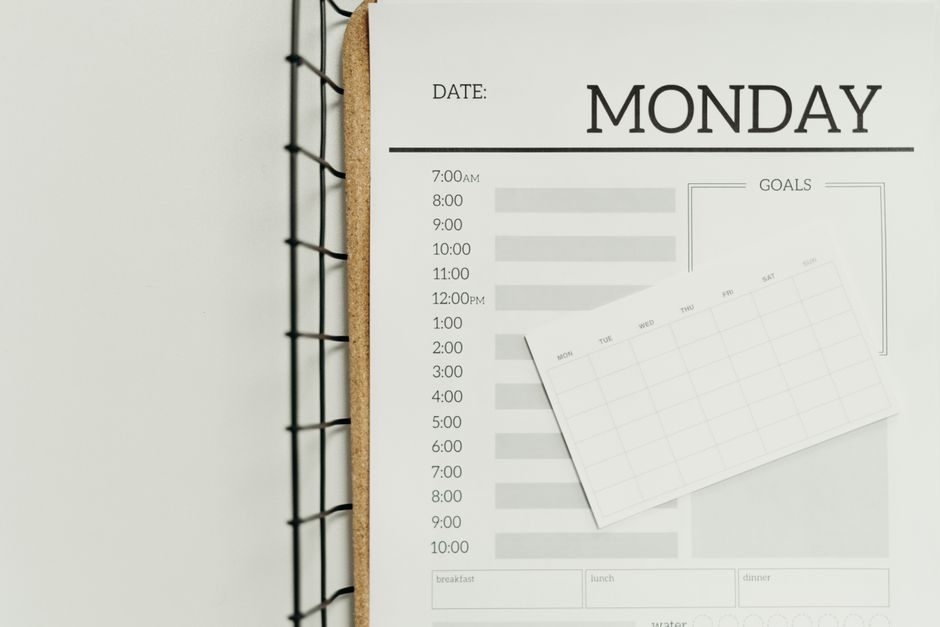
Integrate the calendar with project management tools and chat apps so attendees can share notes and tasks. Create a monthly planning sprint around key events relevant to your stack. Deco Art USA news can provide cultural context that informs event relevance and timing.
Set aside time to review new entries and decide who should attend or present. This keeps attendance intentional and aligned with project milestones.
Keep a running log of what was learned or who was met at each event to justify future participation.
- Link events to project milestones
- Assign attendees with clear learning goals
- Record takeaways for post-event repos
- Reserve slots for after-action reviews
Decision criteria
Not every event is worth the cost. Prioritize those that offer hands-on sessions, reputable speakers, and concrete topics relevant to your tech focus.
Compare venue accessibility, virtual options, and recording availability to maximize follow-up opportunities.
Document expected outcomes like new skills or potential hires to measure return on time and money.
- Evaluate relevance to tech goals
- Check format and accessibility
- Estimate learning value and ROI
- Plan for post-event follow-up
Potential pitfalls to avoid
Common project derailers
Overcommitting to events can overwhelm your backlog and dilute results. Without clear goals, you miss the chance to capture usable insights or apply new skills. find local businesses in the USA may help identify regional tech hubs and meetups near your teams.
Relying on one source can result in missed opportunities or outdated schedules. Cross-check calendars and confirm critical details before committing to travel.
Failing to assign accountability for takeaway dissemination reduces long-term impact and learning.
- Set strict attendance criteria
- Cross-check event details across sources
- Assign post-event responsibilities
| Option | Pros | Cons |
|---|---|---|
| Manual curation | Tailored relevance | Labor intensive |
| Automated feeds | Low effort | Possible data gaps |
| Hybrid approach | Balanced | Requires governance |
Budget and time planning
Events consume both time and resources. Plan travel, registration, and time off with a clear budget and a fallback option for virtual participation.
Avoid repeated late bookings that drive up costs; book early when possible and track expenses against project budgets.
Keep a lightweight notebook for quick quotes, session notes, and contact details that can be shared with the team.
- Forecast travel and registration costs
- Prefer virtual when possible to save time
- Capture contact details for follow-up
- Review post-event spend vs benefit
Consider whether the platform offers calendar views suitable for dashboards, mobile access for field teams, and the ability to share events with stakeholders.
Choosing platforms and formats
Platform selection criteria
Choose platforms that align with how engineers and developers work, prioritizing API access, data exports, and reliable filtering. Look for calendar feeds that support iCal and JSON formats for easy integration into internal tools. Evaluate search and tagging capabilities to quickly locate events by topic, region, or sponsor. post a classified ad in the USA could be useful for sharing collaboration or speaking opportunities within local tech communities.
Consider whether the platform offers calendar views suitable for dashboards, mobile access for field teams, and the ability to share events with stakeholders. Favor vendors with clear data licensing terms and reasonable rate limits for automated pulls. If possible, test a sandbox feed to confirm stability and accuracy before committing.
Identify your organization’s real use cases—press alerts, developer outreach, or conference scouting—and map those to platform features. Document the minimum viable data attributes you need (date, topic, location, registration link) and confirm they are consistently provided. A well-chosen platform reduces manual curation and speeds up decision cycles.
- API access for automation
- iCal/JSON feeds available
- Good filtering and tagging
- Clear licensing terms
- Sandbox testing option
Local vs national calendars
Scope and relevance balance
Local calendars capture community-led tech meetups, user groups, and university hackathons that national feeds often miss. They are critical for landscape awareness and for spotting developer-focused sessions close to your teams. Use filters for city or metro areas to keep signals actionable. publish a death notice in the USA after the regional notices fail to appear in the calendar, consider a broader outreach to ensure visibility for those affected.
- Prioritize local events that bring direct team benefits.
- Include national conferences only if they offer value for strategy or security.
- Maintain separate feeds or tabs for quick switching between scales.
- Review regional hubs for recurring meetups each quarter.
National calendars provide broad coverage of industry conferences, product launches, and policy-related briefings that can influence security and compliance reviews. They help set strategic planning horizons and benchmark against major events. Combine both scales for a complete view.
Develop a workflow that blends signals from both levels, with local events feeding tactical calendars and national events informing strategy. Establish cadence for checking regional hubs and major cities weekly. This dual approach keeps calendars timely without becoming overwhelming.
- Local events for hands-on learning
- National events for strategic signals
- Two-tier filtering strategy
- Regular cadence for checks
- Integrated workflow design
Security and compliance considerations

Protecting event data
Event data can include sensitive attendee lists, sponsor contracts, and session materials. Ensure platforms enforce access controls, audit logs, and role-based permissions for your team. Regularly review who can export, edit, or publish calendar data.
Apply data governance practices to avoid leaking locations or schedules that could be misused by malicious actors. Use tokenized access for API integrations and rotate keys periodically. Keep a changelog for data source updates.
Document your organization’s data handling rules and ensure contractors and partners follow them. Validate that event feeds respect licensing terms and privacy constraints. If your workflow involves sharing calendars externally, implement redaction rules for attendee data.
- Access controls in calendars
- Audit trails for exports
- Data redaction policies
- License and privacy compliance
- Periodic key rotation
Future trends for event data
Growing precision and automation
Expect more granular event metadata, including session-level topics, speaker identities, and live status (sold-out, virtual, in-person). This enables smarter routing of alerts to developers and security teams based on interests and risk. Automation will push relevant events to calendars with minimal human input.
As data quality improves, integration with machine learning can surface anomaly patterns, such as unusual spikes in related topics around a vulnerability disclosure window. This helps teams prepare patches, communications, and incident response playbooks.
Organizations should plan for evolving data licenses as platforms mature, and establish thresholds for what is automatically published versus restricted. Build a roadmap that phases in richer data while maintaining governance and privacy controls.
- Granular metadata
- Automation of feeds
- ML-driven signals
- Governance as a constant
- License evolution considerations
Frequently asked questions
What makes a USA events calendar useful for tech teams?A USA events calendar matters when it reliably surfaces conferences, meetups, and briefings that align with engineering interests, security concerns, and product roadmaps. Useful feeds provide stable formats, clear metadata, and predictable update cycles so teams can plan and respond quickly.
How can teams verify data quality before automation?Run a pilot with a small feed subset, compare key fields against official sources, and monitor discrepancies for a defined period. Refine mappings and require source confirmations before expanding automation.
What governance helps prevent clutter?Centralize sources, standardize field names, prune outdated events, and enforce access controls. A documented process for adding new feeds keeps calendars clean and reliable.
What about privacy when sharing calendars externally?Redact attendee details where possible, apply access controls, and limit external sharing to non-sensitive information. Maintain a clear policy on data retention and source permissions.
Next steps for your team
Start by selecting two strong local calendars and one national calendar that fit your engineering focus. Create a shared view for your team and set a weekly review to prune stale data and adjust filters.
Document ownership, data fields, and validation steps so new hires can join the workflow quickly. Then expand gradually to additional feeds as needed and monitor impact on planning and incident readiness.
Add GLOBAL NEWS as a preferred source on Google


